
Sometimes, you want to run a few applications as a different (Admin) user on your system. Usually, I do that by (Shift) Right-clicking applications, etc… In this small blog post, I will show you a simple way to start multiple applications using PowerShell, making life somewhat easier 😉
Use case
For my workflow, I run multiple programs on my system; some are started as my standard user account, and some are started as Admin because the program or action requires that. And, like in many cases, you can use PowerShell to make that easier 🙂
How the script works
The script collects all the shortcuts from the Start Menu, both current user and all user applications, and displays them in a GridView. Within that GridView overview, you can select one or more applications that will be started for you. You can start the script as an Admin account to start multiple applications as an Admin or as a regular user to quickly open numerous applications as a normal user.
The script has one Parameter, Filter, which you can use to filter the applications immediately instead of using the Out-Gridview/Out-ConsoleGridView method at the top.
Running the script
After starting the script, it will show you a list of all applications in either Out-GridView (PowerShell v5) or Out-ConsoleGridView (PowerShell v7):

You can select one or multiple items using Space. After picking them and using Enter, the applications will start. In the example below, I selected Advanced IP Scanner and Computer Management.
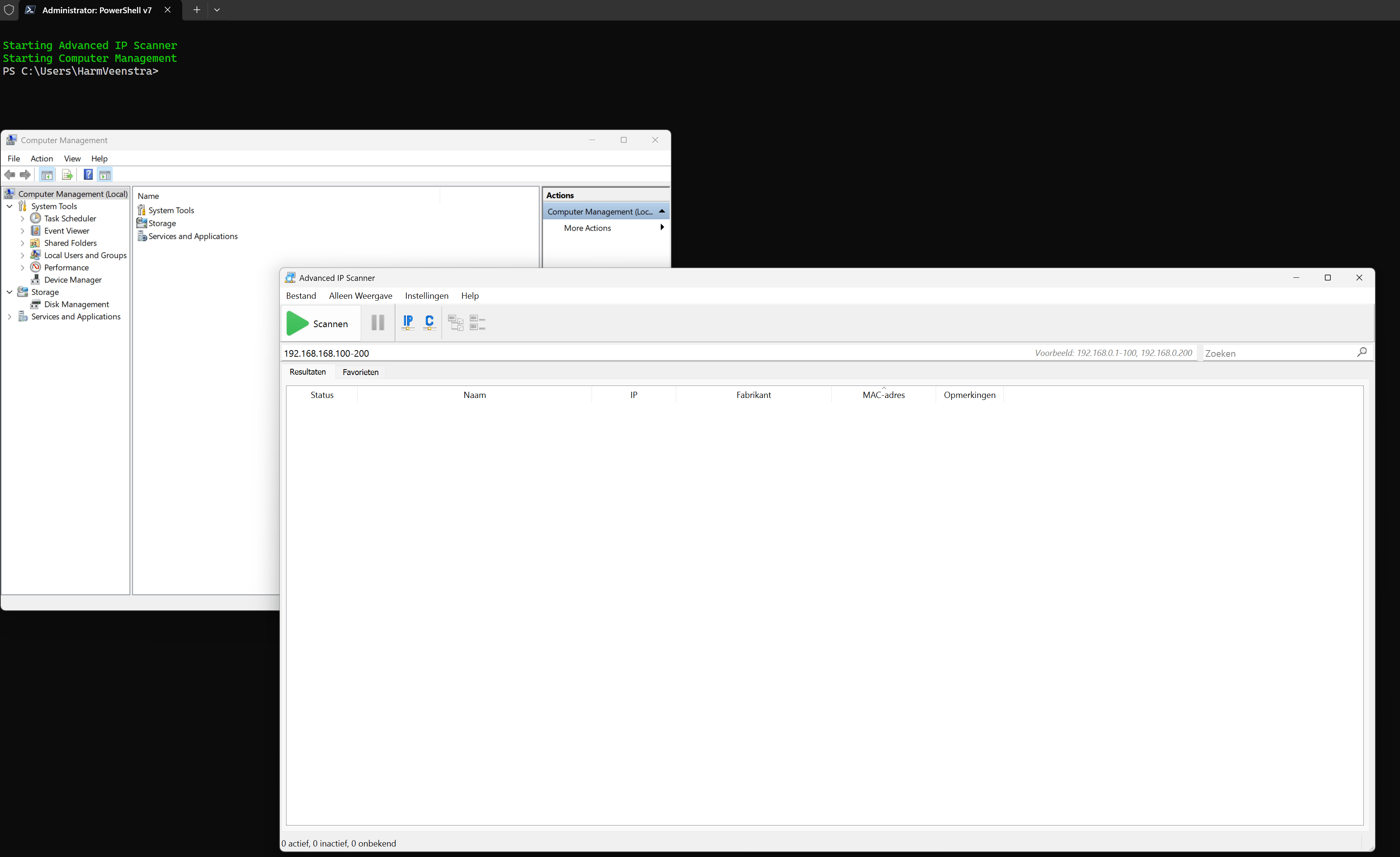
You can also filter the items using the -Filter Parameter. In the example below, I filtered the application list only to show everything containing Microsoft:
c:\scripts\Start-Apps.ps1 -Filter Microsoft

Wrapping up
That’s how you can use PowerShell as a simple program launcher, making it easy to start multiple applications simultaneously. 🙂 Next week, I will be at the Microsoft MVP Summit. I can’t share anything about what will be shown there, but I will create a blog post about my time there, meeting all the other MVPs and people from Microsoft. Have a lovely weekend!
The script
Below are the contents of the script. Please save it to c:\scripts\Start-Apps.ps1, for example.
#Set Filter, use '' as Default
param (
    [parameter(Mandatory = $false)][string[]]$Filter = ''
)

#Retrieve list of applications based on $Filter
foreach ($Item in $Filter) {
    if (Get-ChildItem -Path "C:\ProgramData\Microsoft\Windows\Start Menu\*.lnk" -Recurse -ErrorAction SilentlyContinue | Where-Object Name -Match $Item) {
        $Apps += Get-ChildItem -Path "C:\ProgramData\Microsoft\Windows\Start Menu\*.lnk" -Recurse -ErrorAction SilentlyContinue | Where-Object Name -Match $Item
    }
    if (Get-ChildItem -Path "$($ENV:APPDATA)\Microsoft\Windows\Start Menu\Programs\*.lnk" -Recurse -ErrorAction SilentlyContinue | Where-Object Name -Match $Item) {
        $Apps += Get-ChildItem -Path "$($ENV:APPDATA)\Microsoft\Windows\Start Menu\Programs\*.lnk" -Recurse -ErrorAction SilentlyContinue | Where-Object Name -Match $Item
    }
}

#Add applications to $Total
$Total = foreach ($App in $Apps) {
    [PSCustomObject]@{
        Name     = $App.Name.Replace('.lnk', '')
        Shortcut = $app.Fullname
    }
}

#Check if Out-ConsoleGridView is installed if running from PowerShell v7
if ($host.Version.Major -ge 7) {
    try {
        Import-Module Microsoft.PowerShell.ConsoleGuiTools -ErrorAction Stop
    }
    catch {
        Write-Warning ("Microsoft.PowerShell.ConsoleGuiTools module was not installed, installing now...")
        try {
            Install-Module Microsoft.PowerShell.ConsoleGuiTools -Scope CurrentUser -ErrorAction Stop
        }
        catch {
            Write-Warning ("Error installing Microsoft.PowerShell.ConsoleGuiTools module, exiting...")
            return
        }
    }
}

#Output to Gridview for selection, start selected applications or exit when nothing was selected
if ($null -ne $Total) {
    if ($host.Version.Major -ge 7) {
        $SelectedPrograms = $Total | Sort-Object Name, Shortcut | Out-ConsoleGridView -Title 'Select the program(s) to start, press Escape to stop' -OutputMode Multiple
    }
    else {
        $SelectedPrograms = $Total | Sort-Object Name, Shortcut | Out-GridView -Title 'Select the program(s) to start, press Escape to stop' -OutputMode Multiple
    }
    if ($null -ne $SelectedPrograms) {
        foreach ($Program in $SelectedPrograms) {
            try {
                Invoke-Item -Path $Program.Shortcut -ErrorAction Stop
                Write-Host ("Starting {0}" -f $Program.Name) -ForegroundColor Green
            }
            catch {
                Write-Warning ("Error starting {0}" -f $Program.Name)
            }
        }
    }
    else {
        Write-Host ("No program(s) selected, exiting...") -ForegroundColor Green
        return
    }
}
else {
    Write-Warning ("No programs found based on filter {0}, exiting" -f $Filter)
    return
}
Download the script(s) from GitHub here.
oneliner
$apps = “C:\ProgramData\Microsoft\Windows\Start Menu.lnk”,”$($ENV:APPDATA)\Microsoft\Windows\Start Menu\Programs.lnk” | Get-ChildItem -Recurse | Where-Object Name -Match ($Filter -join ‘|’)
😊 Nice, will update later if I have time 👌
Nice script. For PS 5.1 – I use
$Total = @{}
foreach ($App in $Apps) {
$key = $App.Name.Replace(‘.lnk’, ”)
$value = $App.Fullname
if (!$Total.ContainsKey($key)) {$Total.Add( $key, $value )}
}
$Selected = $Total.Keys | Sort-Object | Out-GridView -Title ‘Select the program to activate, press Escape to stop’ -OutputMode Single
then $Total[$Selected] to either display or run the associated link
I get this error (running on win10)
Get-ChildItem : Access to the path ‘C:\ProgramData\Microsoft\Windows\Containers\BaseImages\aa526182-98d6-4697-9693-d3639af35572\BaseLayer\Files\Program
Files\Windows Defender Advanced Threat Protection\Classification\Configuration’ is denied.
I added ErrorAction SilentlyContinue in the script now to avoid those errors