

It’s been a busy week, and sometimes you just need something like a dad joke while almost hitting project deadlines, etc. 😉 In this short blog post, I will show you how to use the FreeDadJokes module and add it to your profile to get one every time you start a Terminal.
Dadjokes?
“A dad joke is a joke typically involving a pun, often presented as a one-liner or a question and answer.[1] Generally inoffensive, dad jokes are told with sincere humorous intent or to elicit a negative “groaning” reaction to their overly simplistic humor. Dad jokes are so-called because they are stereotypically thought to be those a father figure would tell to a child.[2]“
Source: https://en.wikipedia.org/wiki/Dad_joke
How to install
You can install the module from Michael Free by running:
Install-PSResource -Name FreeDadJokes
Or, when you don’t have PSResourceGet available, by running:
Install-Module -Name FreeDadJokes
After installation, the CmdLet Get-DadJoke is available for use.
Using FreeDadJokes
You can run the CmdLet Get-DadJoke in your Terminal to get a random Dad Joke, for example:

No Parameters, just a new joke every time you run it. I inspected the module, and it uses https://official-joke-api.appspot.com/random_joke to retrieve its jokes from. Not sure how many there are, but didn’t get the same one (yet) during testing 🙂
Adding it to your profile
You can edit your PowerShell profile to automatically get a new Dad Joke each time you start your Terminal. You can do this by opening your Terminal and running:
Windows
notepad $PROFILE
Linux/MacOS
nano $PROFILE
(Or any other editor, of course)
You can then add Get-DadJoke at the end of your profile by adding a new line with that CmdLet:
Get-DadJoke
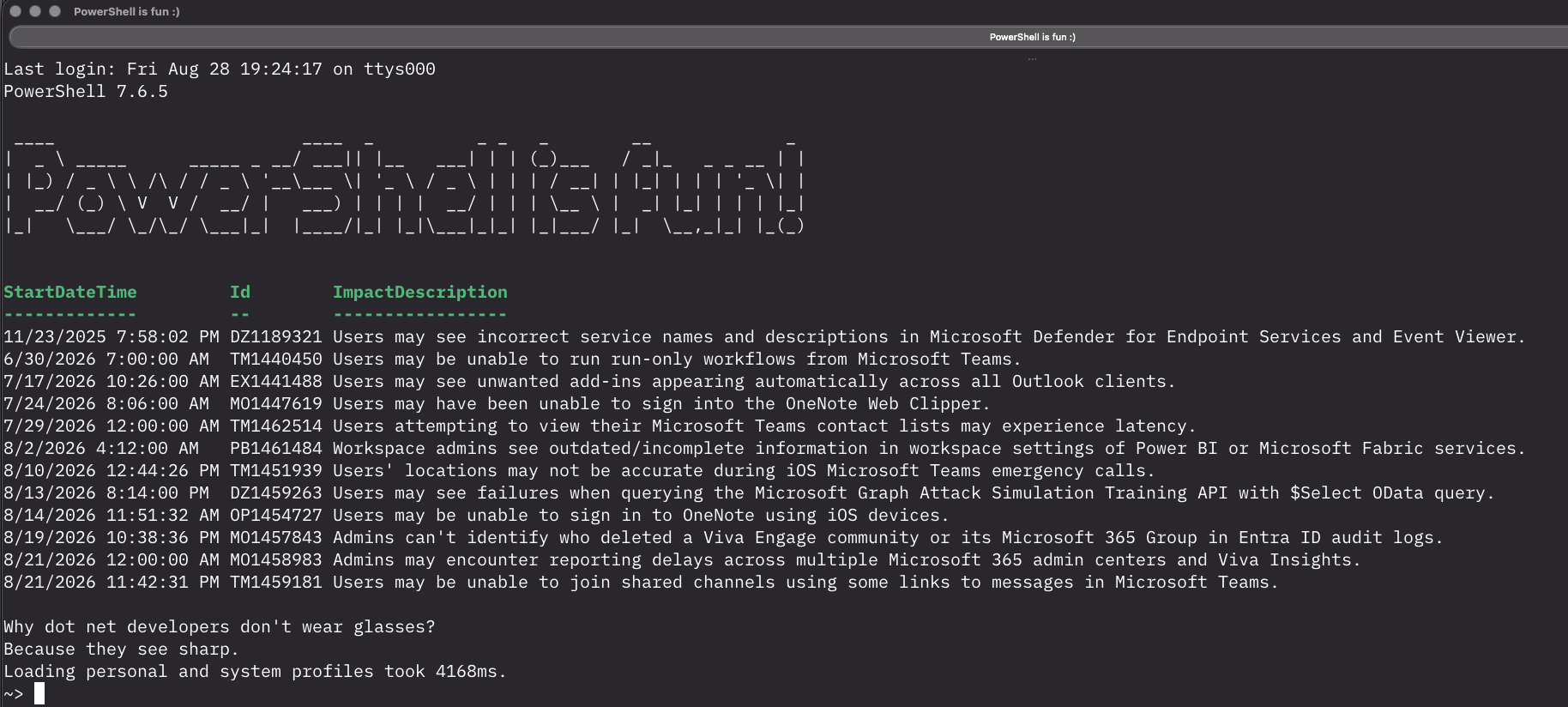
After adding it, this is my Terminal Window after starting 🙂 (I have an ASCII art of PowerShellisfun and the current 365 alerts )
YouTube video
And Michael made a video about it 🙂 Check it out here:
Wrapping up
And that’s it, Dad Jokes each time in your Terminal 😀 Have a lovely weekend!
Ha – that’s awesome!