

A new preview version was released two days ago. In this small blog post, I will highlight the changes and how to install it alongside your normal PowerShell version.
Why should you care?
Well… The preview versions and their features will come to your GA version in the future, so why not prepare/test it now 😉 New features might not work, but you can prepare to use them and see if they might solve limitations you have right now, etc., etc.
What are the changes?
Engine Updates and Fixes
- Fix
FileOnlyEntrycrashing on older versions of Windows (#27880) - Call
CodeGeneration.EscapeSingleQuotedStringContentAPI inSyncCurrentLocationHandler(#27874) - Improve PowerShell Remoting Argument Validation (#27870)
- Improve validation for data fragments for PSRP frame headers (#27871)
- Add the xsd validation back for CIM cmdlets (#27869)
- Fix PATH caching in
CommandDiscoverycode (#27809) - Add support for new WLDP setting
EnableFileOnlyEntry(#26752) - Fix the dot-sourcing behavior of
pwsh -filefor advanced-function scripts (#27727)
General Cmdlet Updates and Fixes
- Improve output file path determination for
Invoke-WebRequest(#27872) - Fix the regression in tab completing positional parameters (#27857)
- Add
New-TemporaryDirectorycmdlet (#27549) (Thanks Kirtikumar Anandrao Ramchandani (@KirtiRamchandani)!)
Code Cleanup
Tests
- Fix the scripts used for
Copy-Item -FromSession/-ToSessionscenarios and also enable tests (#27773) - Fix TimeZone test with duplicate names (#27525) (Thanks Kirtikumar Anandrao Ramchandani (@KirtiRamchandani)!)
Build and Packaging Improvements
Expand to see the details
- Add the needed variable groups to the MSIX VPack pipeline to enforce using the production ADO feed (#27896)
- Fix install dotnet for non-early-access release (#27892)
- Localized file check-in by OneLocBuild Task: Build definition ID 13420: Build ID 2691582 (#27876)
- Fix comments in
CmdletizationCoreResources.resx(#27879) - Localized file check-in by OneLocBuild Task: Build definition ID 13420: Build ID 2684623 (#27841)
- Use Azure CLI for early-access feed token (#27849)
- Fix OneBranch output variables for early .NET jobs (#27843)
- Localized file check-in by OneLocBuild Task: Build definition ID 13420: Build ID 2674492 (#27821)
- Localized file check-in by OneLocBuild Task: Build definition ID 13420: Build ID 2670960 (#27802)
- Use .NET SDK and NuGet feed early access for build, package and release pipelines (#27795)
- Update Microsoft.PowerShell.Archive version to 1.2.6 (#27784)
- PMC: Remove EOL debian12 distribution for v7.7.0 preview (#27763)
- PMC: Add Ubuntu 26.04 distribution for v7.7.0 (#27765)
- Localized file check-in by OneLocBuild Task: Build definition ID 13420: Build ID 2661935 (#27766)
- Localized file check-in by OneLocBuild Task: Build definition ID 13420: Build ID 2660148 (#27752)
- Update the manifest resource names for the localized resources embedded in satellite assemblies (#27756)
- Update
LocProject.jsonto list each English resource file directly (#27751) - Localized file check-in by OneLocBuild Task: Build definition ID 13420: Build ID 2652124 (#27736)
- Fix min-size package and ship localized resources only for MSIX packages (#27725)
- Fix the W3C URIs in
.resxresource files (#27729) - Update
metadata.jsonfor July releases (#27704) - Prepare for onboarding PowerShell to the Native2Native localization pipeline (#27667)
Documentation and Help Content
- Update changelogs for v7.4.18, v7.5.9, and v7.6.4 (#27707)
Source: https://github.com/PowerShell/PowerShell/releases/tag/v7.7.0-preview.4
How to install?
There are multiple ways to install the Preview release for your Operating System of choice:
Installers
You can download the installer from the Assets list here: https://github.com/PowerShell/PowerShell/releases/tag/v7.7.0-preview.4#assets. There are installers for Linux (ARM32/ARM64/x64), OSX, Windows ARM64, Windows X64/x86 in rpm, deb, msix, pkg, tar.gz formats.
Brew
You can install it on your Mac using:
brew install --cask powershell@preview
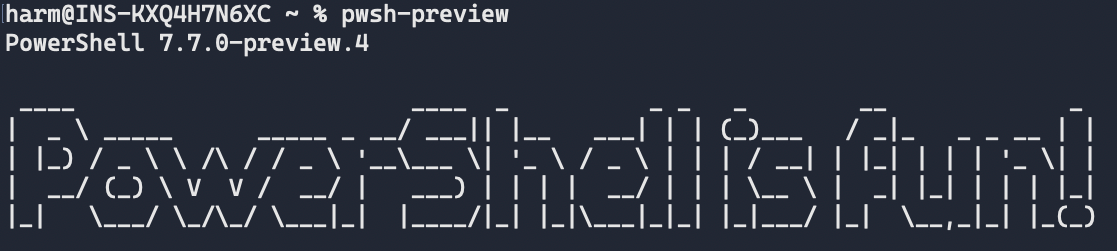
After installation, you can use pwsh-preview to start:
WinGet
You can install the new Preview version using the WinGet command-line by running:
winget install --id Microsoft.PowerShell.Preview --source winget
After installation, you can select it from your Windows Terminal Dropdown or by running pwsh-preview from the command line.
Note: At this moment, it still installs preview 3, but the newer version should be available in the next few days, I guess 🙂 Check https://github.com/microsoft/winget-pkgs/tree/master/manifests/m/Microsoft/PowerShell/Preview to see if it’s available.
Wrapping up
And that’s it for now regarding the new preview version; lots of changes and fixes from the Community. Have a lovely week/weekend!